Arpeggiation Techniques
Access to full class video + session downloads
This session will focus on:
- How to Arpeggiation Techniques
- Mastering Ableton’s Arpeggiator
- Style Combinations
- Old School Arps
- Motifs Vs. Textural Support
- Manual MIDI Tool Arps
- Hocketing
- Arpeggiated Drums
- Best Max for Live Arps
- INCLUDED: Ableton Project from Class
- INCLUDED: 10 Custom Side Brain’s Instrument Racks
- INCLUDED: MIDI Bounce Max for Live Utility
- INCLUDED: Chords2Melody Max for Live Utility
*Latest Version of Ableton Suite is required
$25.00
First 20 minutes from class
Arpeggiation Techniques Overview
In this workshop, we’ll explore creative approaches to arpeggiation in Ableton Live, moving beyond basic up-and-down patterns to create parts with more rhythm, movement, and musical identity.
We’ll take a deep look at Ableton’s Arpeggiator, including its different styles, timing controls, rhythmic settings, and creative combinations. We’ll explore traditional old-school arps, repeating motifs, textural patterns, hocketing, arpeggiated drums, and techniques for manually constructing arpeggios using Ableton’s MIDI Tools.
The goal is to treat arpeggiation as more than a shortcut for playing notes. You’ll learn how to use it as a flexible compositional tool for generating melodies, rhythms, grooves, textures, and unexpected musical ideas.
By the end of the workshop, you’ll understand how to create arpeggiated parts that complement your music, develop simple chords into expressive patterns, and build more interesting arrangements using both programmed and generative techniques.
Mastering Ableton’s Arpeggiator: Learn how Ableton’s Arpeggiator works and how its Style, Rate, Gate, Steps, Distance, Groove, Repeats, and Transposition controls can shape the rhythm and movement of a pattern.
Style Combinations: Combine multiple Arpeggiators with various modulation techniques and different Style settings to generate more complex patterns that would be difficult to create with a single device.
Old-School Arps: Create classic arpeggios that travel through full chords across multiple octaves, recreating the patterns commonly heard in vintage synth, disco, synth-pop, video games and electronic music.
Motifs vs. Textural Support: Explore the difference between arpeggios that function as recognizable melodic motifs and those that provide subtle movement, rhythm, and texture behind the main musical idea.
Manual MIDI Tool Arps: Use Ableton’s MIDI Tools and MIDI editing features to construct detailed arpeggios manually, giving you complete control over note order, rhythm, velocity, length, and variation.
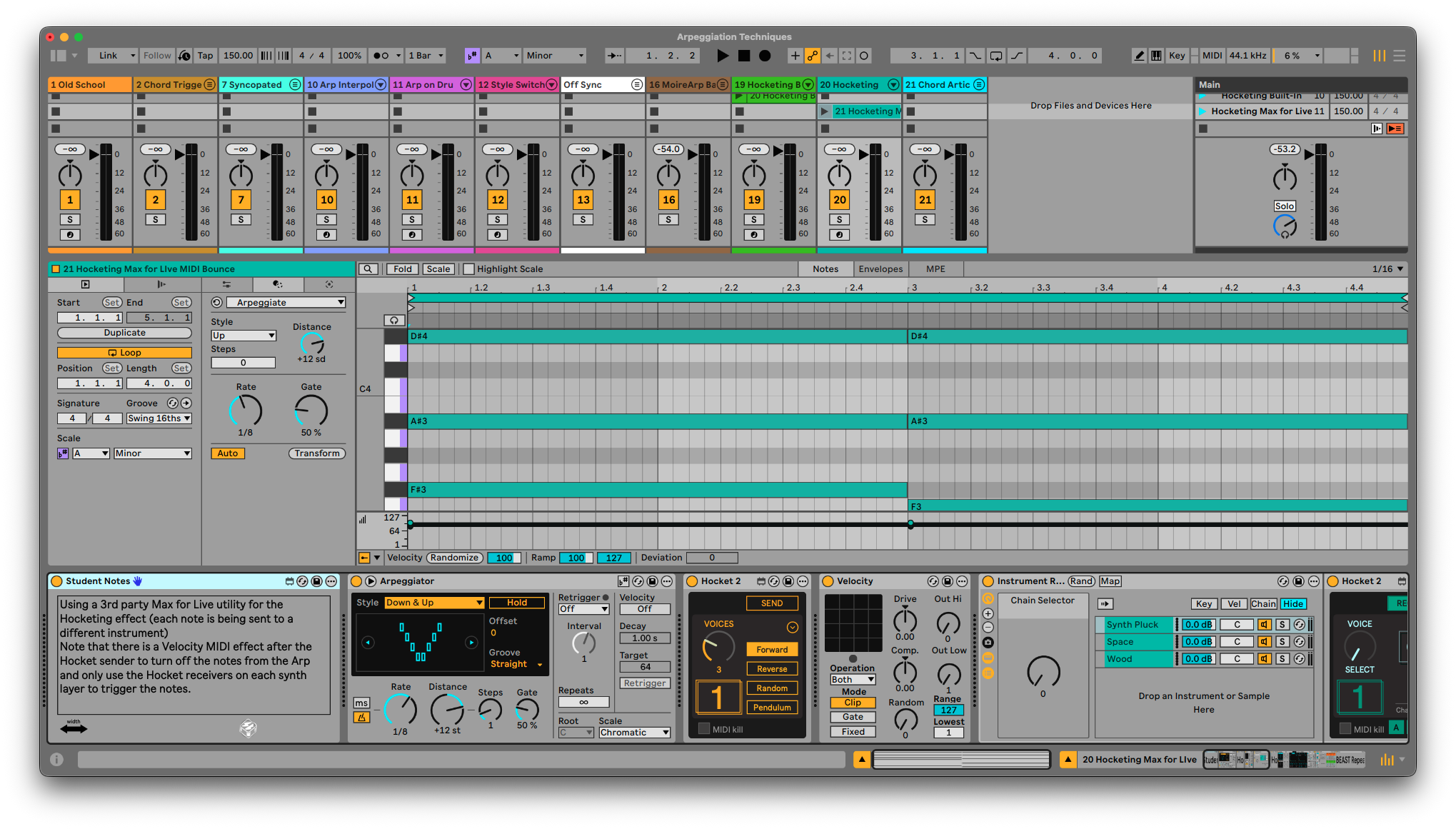
Hocketing: Divide an arpeggiated phrase between multiple instruments or sounds to create interlocking patterns, rhythmic conversations, and constantly shifting tonal movement.
Arpeggiated Drums: Apply arpeggiation techniques to Drum Racks and percussion, transforming held notes and simple MIDI patterns into fills, rolls, grooves, and evolving rhythmic sequences.
Best Max for Live Arps: Explore some of the most useful Max for Live arpeggiators and learn how they expand beyond Ableton’s stock device with probability, sequencing, generative controls, and other advanced features.
This session is beginner-friendly, but the concepts go deep. Whether you produce electronic music, hip-hop, pop, ambient, or experimental music, you’ll leave with practical techniques for creating arpeggios that feel intentional, expressive, and connected to the rest of your arrangement.
Project from Class

Included with the session downloads is the Ableton Project from class including most of the examples we talked about in class. Things like Old School Arps, Bass layering, Bass Sequencing, Style Switching, Hocketing, Arp on Drums, Value Blocking and much more!
Custom Instrument Racks
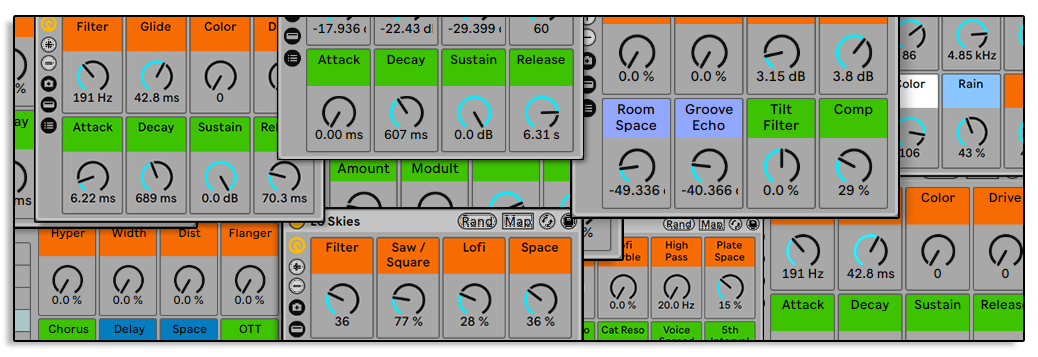
With each example in the Session project you can find a custom instrument rack you can save to use in your productions. These are production ready sounds covering everything from plucks, basses, chords, keys and more.
MIDI Bounce
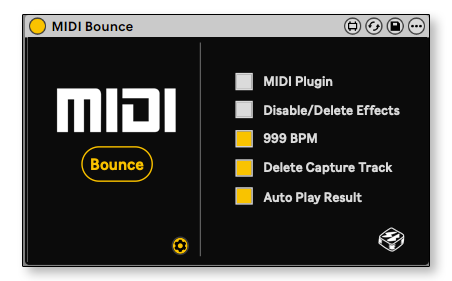
This exclusive Max for Live device can save you a lot of time!
Unfortunately, Ableton Live currently doesn't have a MIDI bounce option to capture all the MIDI effects on the track into the MIDI clip.
Simply place this device on the MIDI track and hit bounce it will:
- Create a new MIDI track
- Set the routing from the original track
- Arm the Track
- Record a new clip in fixed length
- In Session View it will also copy the new clip to the original track and delete the temporary track
All with one button!
Chords2Melody
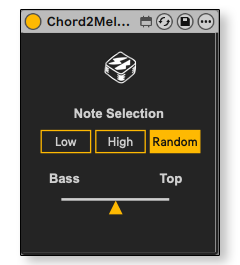
Originally built exclusively for the Expressive Chords Workshop. This Max for Live utility allows you to play a chord and only out the lowest note, highest note or a random note from the chord (with hight priority control).
This utility can be used in instrument racks layering when some layers need to play the full chord and some layering need to play only one note out of the chord.
More info HERE,.
What's Included with this session
- 2+ hours of Ableton Certified Training Video
- Ableton Project from Class with Student Notes and All the examples we talked about in class.
- 10 Custom Side Brain's Instrument Racks
- 2 Exclusive Max for Live Utilities
- PDF with with Tutorials, Max for Live Arps & Utilities
ABOUT THE INSTRUCTOR
Yeuda Ben-Atar, a world renowned Ableton Certified Trainer, hails from Los Angeles, California. Yeuda’s passion for music led him to the United States, where he discovered his true calling with Ableton Live in 2007, embarking on a journey of mastery.
He approaches Ableton in a unique way; producing and performing with video game controllers under the moniker Side Brain.
One of Yeuda’s most remarkable qualities is his exceptional knowledge and speed, combined with his unparalleled ability to explain complex concepts in a simple and engaging manner.
With years of experience as a music production instructor and educator, Yeuda has contributed his expertise to prestigious institutions throughout the United States, including USC, UCLA, UCSD, Colburn Music School, Berkley School of Music, Cal Arts, NAMM, Skywalker Sounds, Bedrock LA, Sonos Studios, Sweetwater Headquarters, 1500 or Nothing studios, Grammy U, Pensado’s Place, Vintage King, Museum of Making Music, Lynda.com (now known as Linkedin Learning), and Perfect Circuit Audio, among many others.
His projects have included working with and teaching artists such as Timbaland, Ludacris, Lavel Kali(Beyonce, Drake) DJ Numark and Jurassic 5, Beck, Skrillex, Flying Lotus, Ed Sheeran, Rick Rubin, Giorgio Moroder, Simi, Bootie Brown (Pharcyde), Dave Pensado, Madison Mcferrin and countless others.

Arpeggiation Techniques
Access to full class video + session downloads
This session will focus on:
- How to Arpeggiation Techniques
- Mastering Ableton’s Arpeggiator
- Style Combinations
- Old School Arps
- Motifs Vs. Textural Support
- Manual MIDI Tool Arps
- Hocketing
- Arpeggiated Drums
- Best Max for Live Arps
- INCLUDED: Ableton Project from Class
- INCLUDED: 10 Custom Side Brain’s Instrument Racks
- INCLUDED: MIDI Bounce Max for Live Utility
- INCLUDED: Chords2Melody Max for Live Utility
*Latest Version of Ableton Suite is required
$25.00