Vibe Coding Max for Live Devices
Access to full class video + session downloads
This session will focus on:
-
- How to Vibe Code Max for Live Devices
- Which AI to Choose
- Developing a Workflow
- Building UIs
- Custom PUSH Displays
- Live Extensions
- Plugins
- Standalone Apps
- Quality Control
- Releasing Devices
- INCLUDED: Keychain Max for Live Device from Class
- INCLUDED: Display Practice Kit Max for Live Device
- INCLUDED: Side Brain Patching Lab Max Package
- INCLUDED: Max for Live MCP Setup Guide
$25.00
First 20 Minutes from Class
Vibe Coding Max for Live Devices Overview
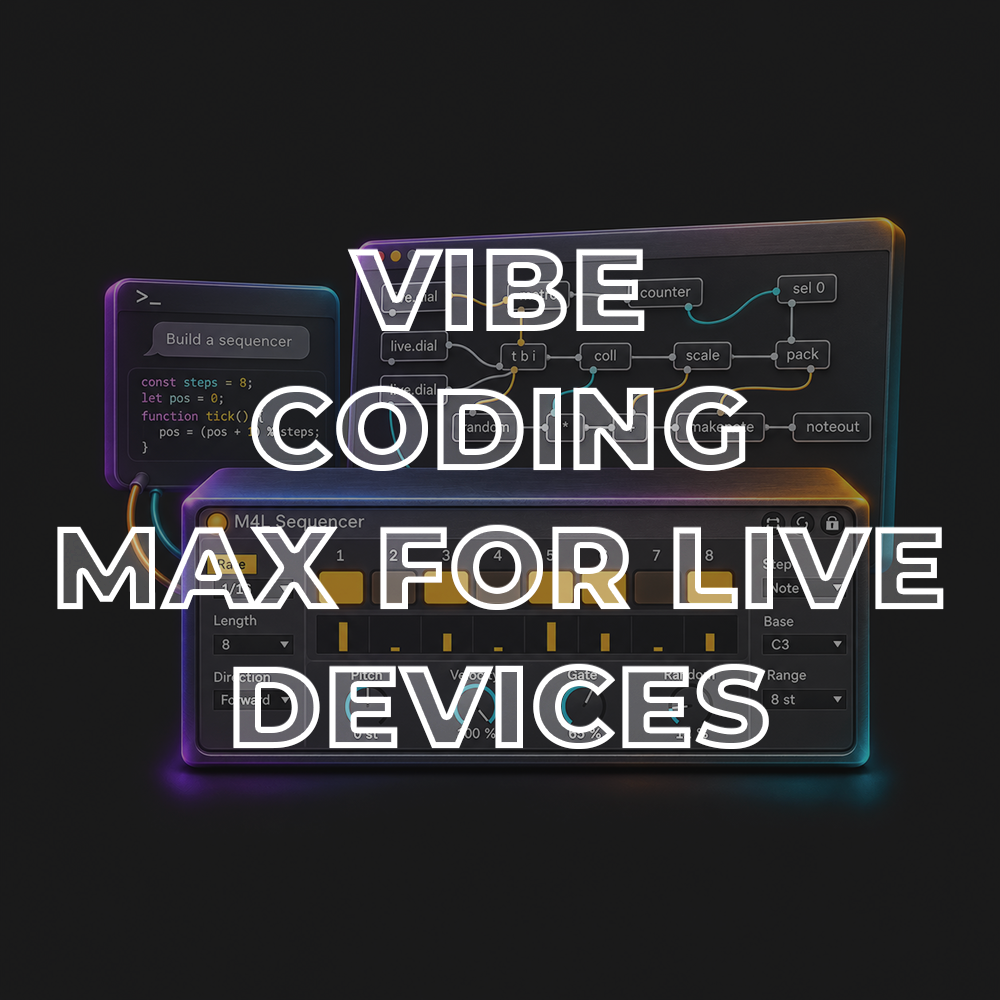
I used to build my Max for Live devices one Max object at a time. But since AI agents became so powerful with coding and developing, I’ve been releasing more devices than ever, and most of that work now happens through a conversation with a coding agent. In this online workshop, I’ll share the workflow I’ve been using to build and release my Max for Live devices.
Building a useful device takes more than a first prompt. This workshop covers how to describe what you want, test how it behaves in Live, and give your AI agent feedback it can act on.
How to Vibe Code Max for Live Devices
Explore two ways to build. Connect an AI agent directly to the Max patcher through an MCP server so it can explain a patch, add objects, and connect them. Or describe the device in plain language and have the agent build a version you can load into Live.
Which AI to Choose
Learn when a browser chat is useful for exploring an idea or sketching an interface, and when to use a local AI agent that can work directly with your project files. The workshop also covers how usage limits affect longer builds.
Developing a Workflow
Ask the agent to clarify the musical details before it starts building. Should the device recognize a chord in any octave? Should the trigger notes still play the instrument? Test those decisions, then give the agent specific back and forth feedback until the device does exactly what you want.
Building UIs
Use interface mockups to explore a layout and annotated screenshots to show the agent exactly what needs to move. Match Live’s colors for a native look, or design a custom interface. Use expandable settings and resizable pop-up windows to keep the controls you need within reach.
Custom Push Displays
Since Max 9.2 we are now able to create custom displays for the PUSH, see how Keyboard Monitor 2 displays the scale you’re playing, how Drifter handles per-step sequencer editing, and how a MIDI visualizer draws a landscape on Push as you play. Learn how to give your agent the included custom display guide as a reference for your own device.
Live Extensions, Plugins & Standalone Apps
Explore the same approach beyond Max for Live. DrumSep adds a command to Live that separates a drum loop into individual parts, while Gamepad Control 2’s standalone companion app turns a game controller into a MIDI controller. The workshop also covers when a plugin makes sense for musicians working in other DAWs.
Quality Control
Check what your device remembers when you reopen a Set, whether its controls map and automate correctly, and whether it slows down Live or fills the Undo History. For an audio effect like a filter, use your ears, meters, and a familiar reference device to judge how it sounds.
Releasing Devices
Learn what musicians need to know before they download your device, including what it does, which versions of Live it supports, and whether it’s been tested on Mac and Windows. Examples from Side Brain releases cover Gumroad listings, manuals, changelogs, and offering a free device through a newsletter signup.
If you’ve ever caught yourself saying “I wish Ableton had a device that did this,” bring that idea. This session is for producers who want to build their first device and Max users who want a new way to develop the next one even without ANY prior programming knowledge.
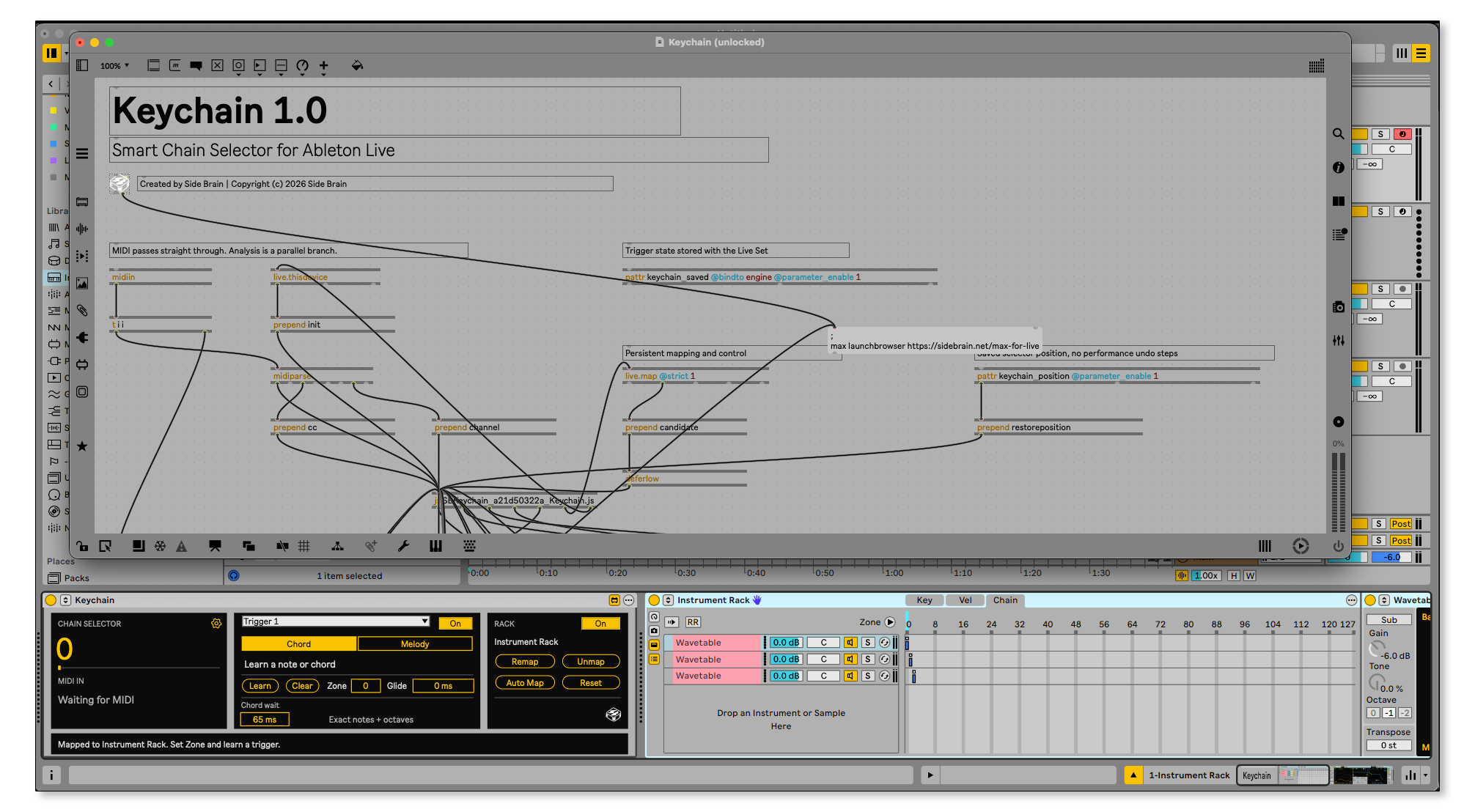
KeyChain - Smart Chain Selector
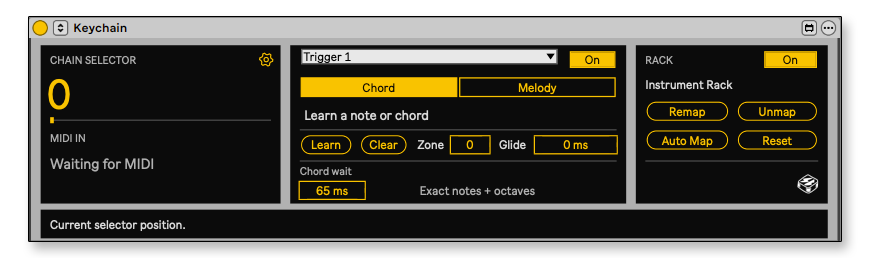
Play a note, chord, or melody to switch chains in an Ableton Instrument Rack. Keychain grew out of a student’s idea during the workshop. The class notes include the full conversation with the AI agent, so you can follow the build from the first prompt through testing and revisions.
Display Practice Device
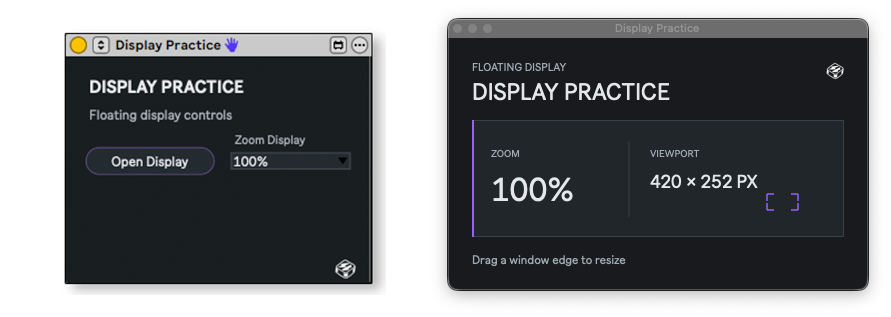
A device example of repeatable work you can add to your vibe coding like, Zoom Display, Dynamic Sizing, Internal patcher title/subtitle and credits and Logo and versioning on hover.
The prompts for each element are in the class PDF so you can use these elements in your own builds.
Patching Lab Max Package
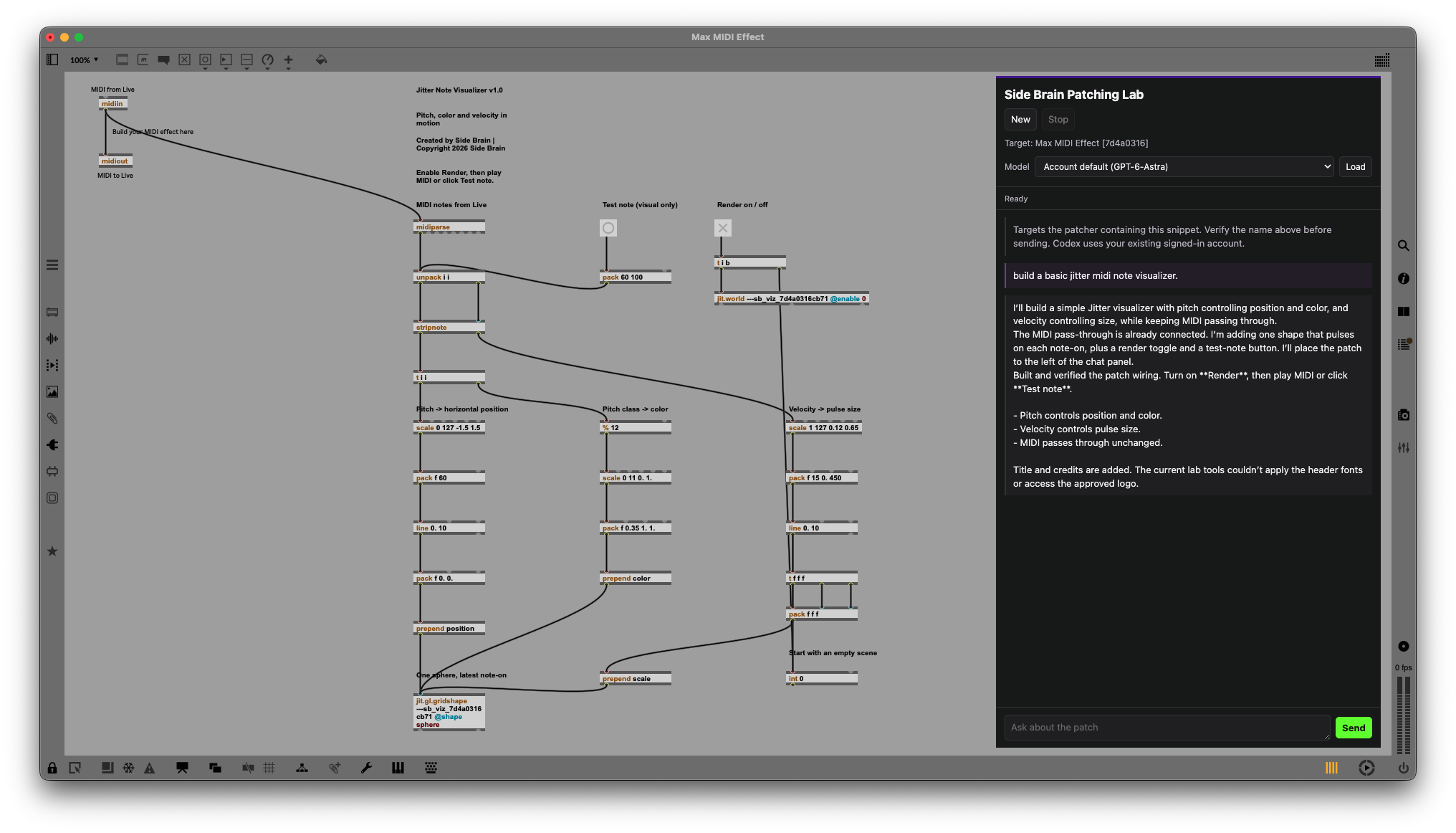
A custom Max Package based on Gluon Max for Live MCP server, this package lets you use an AI chat directly inside a Max for Live patcher to help you learn and create Max for Live devices.
Max for Live MCP Setup Guide
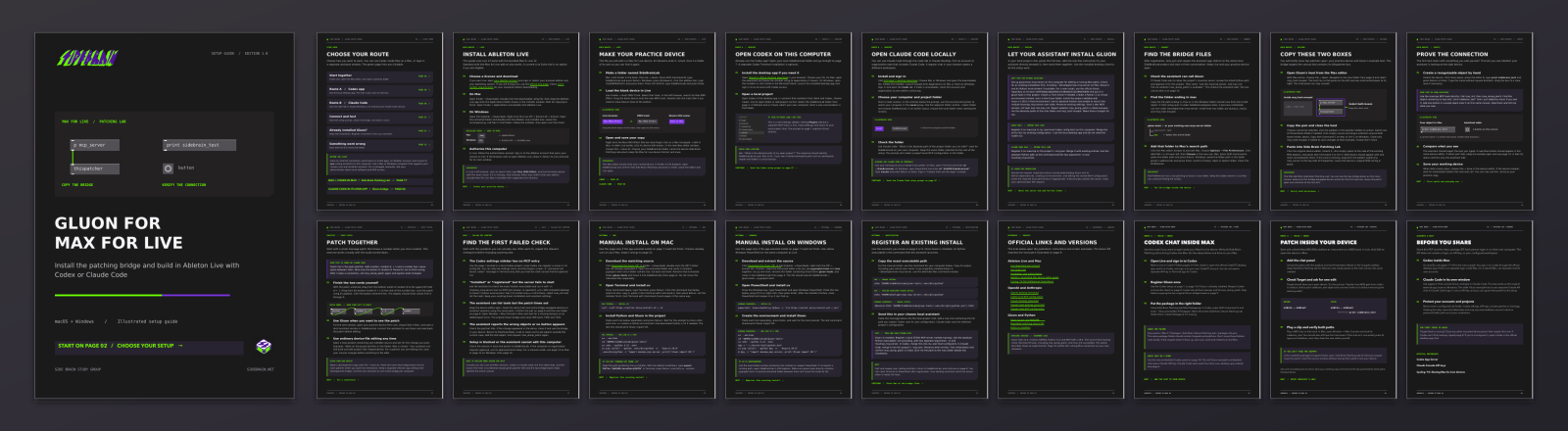
A full detailed step by step guide how to setup Gluon Max for Live MCP server with Claude or ChatGPT/Codex.
What's Included with this session
- 2+ hours of Certified Training Video
- Keychain Max for Live Device We Built In Class
- Full Keychain Build Transcript
- Display Practice Max for Live Device
- Patching Lab Max Package
- Max for Live MCP Setup Guide
- Custom PUSH Display Guide
- PDF with a list of Vibe Coding Workflow Guide, Example Prompt and Tools
ABOUT THE INSTRUCTOR
Yeuda Ben-Atar, a world renowned Ableton Certified Trainer, hails from Los Angeles, California. Yeuda’s passion for music led him to the United States, where he discovered his true calling with Ableton Live in 2007, embarking on a journey of mastery.
He approaches Ableton in a unique way; producing and performing with video game controllers under the moniker Side Brain.
One of Yeuda’s most remarkable qualities is his exceptional knowledge and speed, combined with his unparalleled ability to explain complex concepts in a simple and engaging manner.
With years of experience as a music production instructor and educator, Yeuda has contributed his expertise to prestigious institutions throughout the United States, including USC, UCLA, UCSD, Colburn Music School, Berklee School of Music, Cal Arts, NAMM, Skywalker Sound, Bedrock LA, Sonos Studios, Sweetwater Headquarters, 1500 or Nothing studios, Grammy U, Pensado’s Place, Vintage King, Museum of Making Music, Lynda.com (now known as LinkedIn Learning), and Perfect Circuit Audio, among many others.
His projects have included working with and teaching artists such as Timbaland, Ludacris, Lavel Kali(Beyoncé, Drake) DJ Numark and Jurassic 5, Beck, Skrillex, Flying Lotus, Ed Sheeran, Rick Rubin, Giorgio Moroder, Simi, Bootie Brown (Pharcyde), Dave Pensado, Madison Mcferrin and countless others.

Vibe Coding Max for Live Devices
Access to full class video + session downloads
This session will focus on:
-
- How to Vibe Code Max for Live Devices
- Which AI to Choose
- Developing a Workflow
- Building UIs
- Custom PUSH Displays
- Live Extensions
- Plugins
- Standalone Apps
- Quality Control
- Releasing Devices
- INCLUDED: Keychain Max for Live Device from Class
- INCLUDED: Display Practice Kit Max for Live Device
- INCLUDED: Side Brain Patching Lab Max Package
- INCLUDED: Max for Live MCP Setup Guide
$25.00