
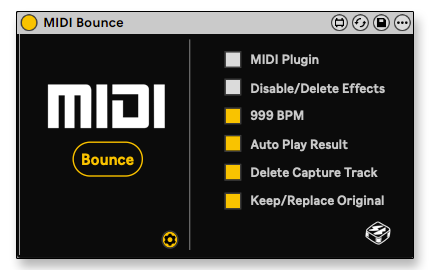
MIDI Bounce
Speed up your workflow
Capture MIDI Effects into a new MIDI clip with only one mouse click!
Demo + Tutorial
Speed up workflow
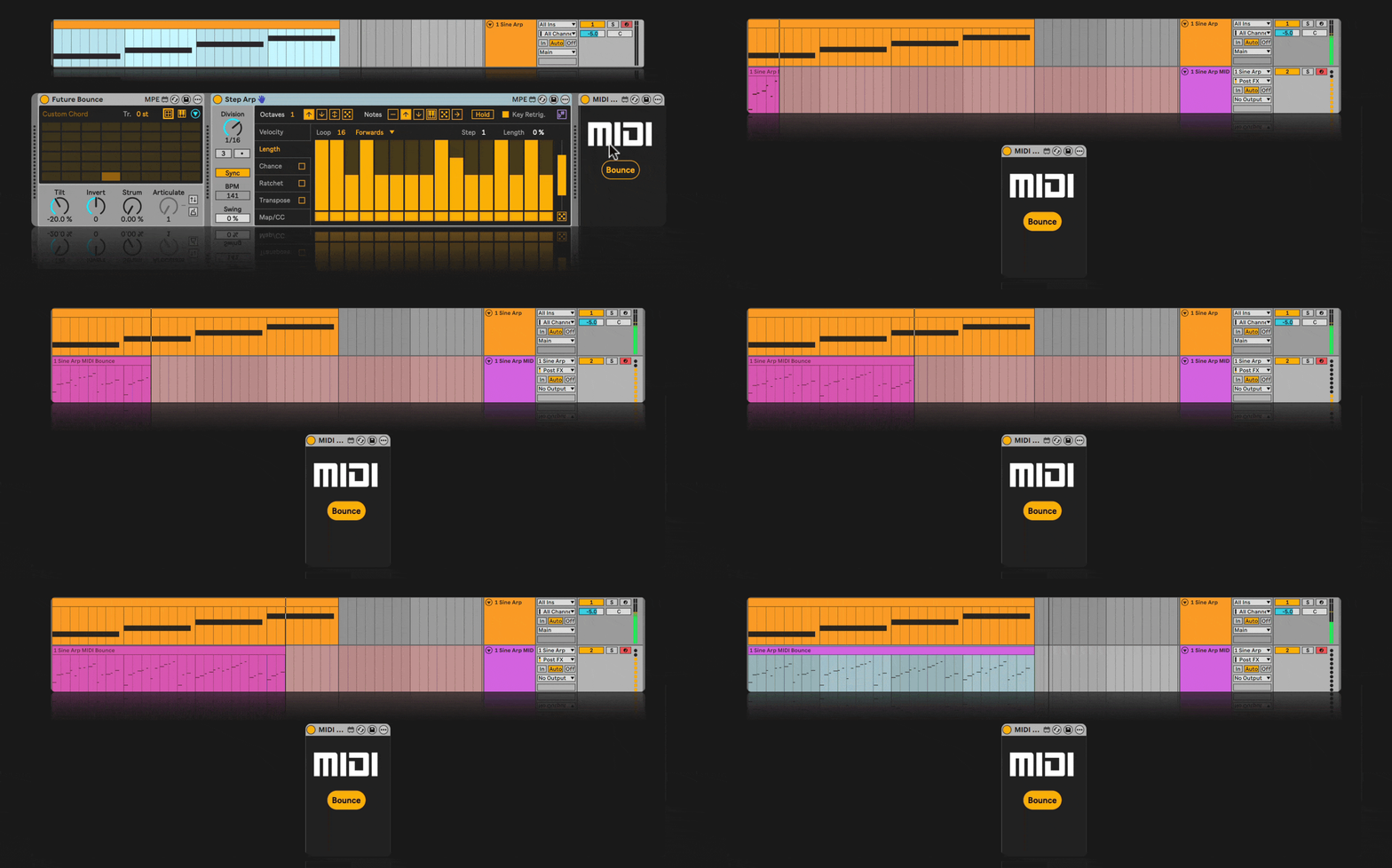
One click will automatically:
1. Create a New Adjacent MIDI Track
2. Route New Track MIDI From Original Track
3. Start Recording to a New Track at the Right Length in 999BPM
4. Auto-Disable/Delete the MIDI Effects on original track
Session View Additions
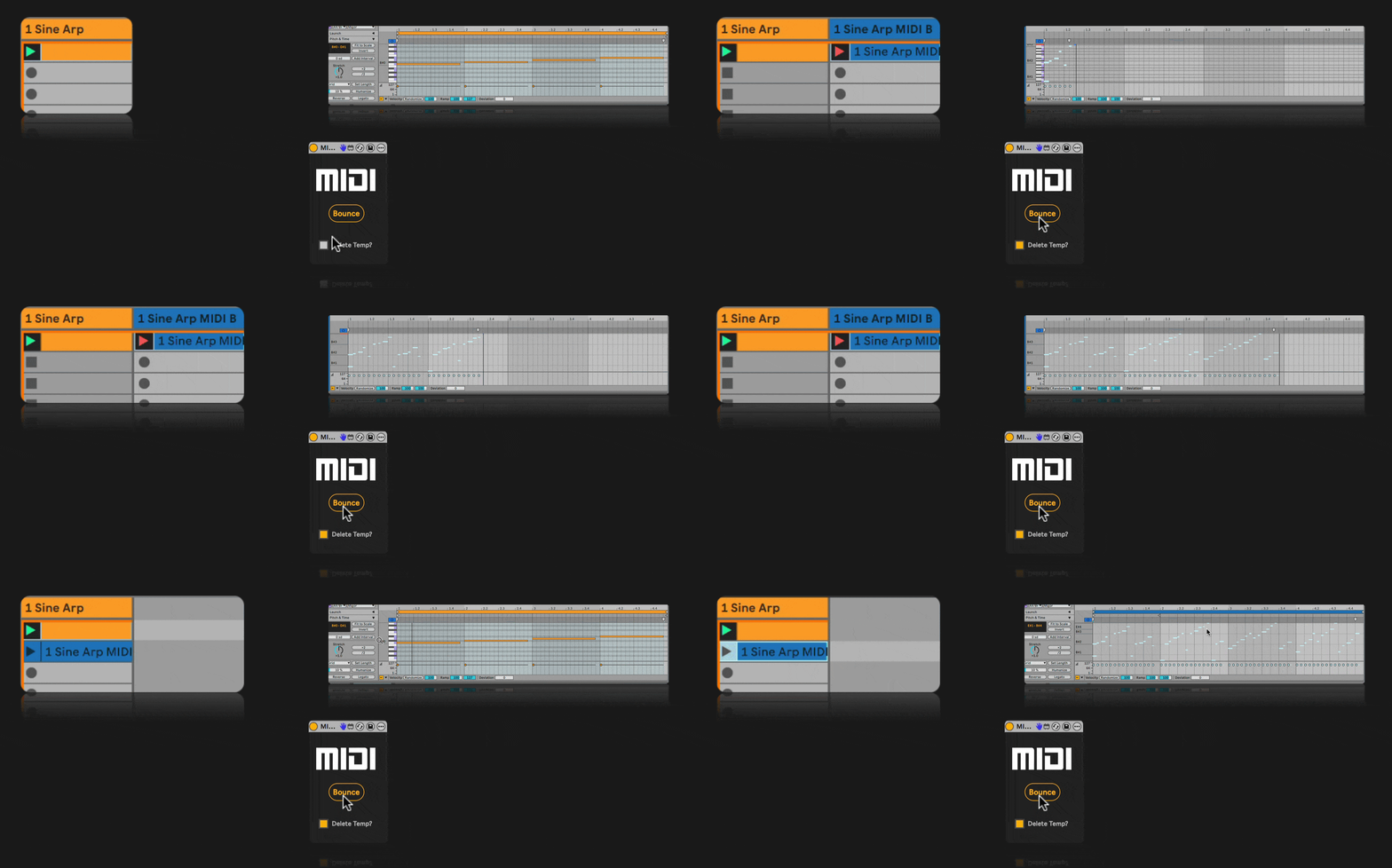
Additional Features for Live’s Session View:
– Copy clip back to original Track
– If “Delete Temp?” is Selected – Auto Delete Temp Track
Features
-
Place on any track (even the Main Track to include in your template)
-
One mappable Button for MIDI Bounce
-
Auto Routing
-
Quick Real-Time Bounce in 999BPM
-
Auto-Disable/Delete MIDI Effects on Original Track
-
Auto Length Recording for both Session & Arrangement Views
- Support for MIDI Plugins like Cthulhu, Scaler Etc.
-
Automatic Deletion of Temporary Track (Session View)
Video Manual
INSTALLATION & REQUIREMENTS
Place the device under User Library -> Presets -> MIDI Effects -> Max MIDI Effect
* Ableton Suite 10 or newer
CHANGELOG
1.6
Session View
- Bounced clips now appear in the first available slot below the source clip.
- Automatically creates a new scene if no lower clip slot is available.
- Added a safety tail to reliably capture final notes and note-offs.
- Physically crops the safety tail, preventing notes beyond the original loop boundaries.
- Fixed bounces capturing only the first note or cutting off later notes.
- Removed the delay before transferring the finished clip back.
- Added optional automatic playback of the bounced clip.
- Added open-ended recording when no Session clip is selected. Press Bounce again to stop.
Arrangement View
- Bounces now begin at the selected clip’s actual Arrangement position instead of bar 1.
- Uses the selected clip’s precise start and end times.
- Fixed playback occasionally jumping to bar 1 and stopping after one beat.
- Automatically stops recording and transport at the end of the selected clip.
- Returns the bounced clip to the source clip’s original timeline position.
- Places the playhead at the bounced clip’s beginning after completion.
- Added Replace Original and Keep Original Backup modes.
- Keep Original Backup duplicates and mutes the complete original track, preserving its clips, devices, routing, and automation.
- Made Delete Capture Track available for Arrangement cleanup.
- Automatically selects the finished Arrangement clip.
- Preserves the source clip’s color.
- Restores Arrangement loop, punch, recording, and transport settings afterward.
General and Reliability
- Improved source-track and focused-clip detection.
- Verifies that the bounced clip was copied successfully before deleting the capture track.
- Preserves a completed capture track if copy-back cannot be confirmed.
- Restores original track-arm states after bouncing.
- Restores the original tempo and Global Quantization after 999 BPM bouncing.
- Improved cleanup of temporary scenes after failed or incomplete bounces.
- Prevented repeated names such as
MIDI Bounce MIDI Bounce MIDI Bounce. - Updated the device and JavaScript version identification to 1.6
1.5
- Added a Settings section
- Added 999 BPM toggle
- Added Auto-Play of bounced clip (Session View)
- MIDI Effects are now automatically disabled
1.4
- New MIDI Plugin mode to bounce MIDI from plugins like Cthulhu, Scaler etc.
1.3
- Added the option to auto-delete all midi effects on original track
- Fixed an issue where the device didn’t work properly when loaded on an individual track and not on the Main Track
- Minor visual Improvements
1.2
- You can now place the device on any track, MIDI/KEY map the bounce button and bounce the currently focused clip.
- Added PUSH Control
1.1
- During Bounce project jumps to 999 BPM to speed up the bounce process
More max for live
CHIPTUNE OSC
KEYBOARD MONITOR

Vizualise Your Playing
GAMEPAD CONTROL

Play Ableton with Video Game Controllers